What Does Apple's New Siri AI Actually Do?
Short answer: Siri AI can hold a real back-and-forth conversation, look at what's on your screen and answer questions about it, dig through your own photos, texts, and emails to find things for you, and answer general questions the way a chatbot does. It's free for anyone with a compatible iPhone, iPad, or Mac — no subscription needed. What it doesn't do is work on a schedule in the background while you're away — every Siri AI request starts because you asked it something, right then.
If you've heard "Siri is getting AI" and immediately tuned out because it sounded like another feature you'd never use, this is worth two minutes. The old Siri mostly set timers and played music. The new one is built to actually understand what you're asking and go find the answer — in your own stuff, not just on the web.
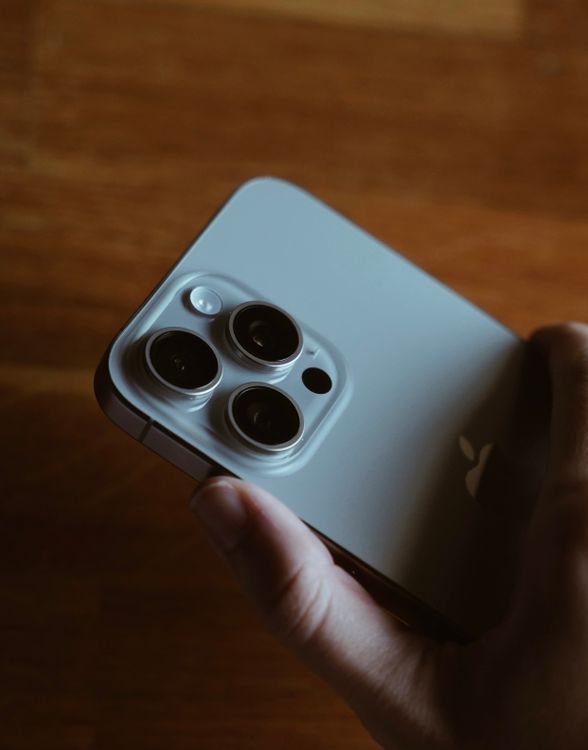
What can Siri AI actually do for you?
Forget the technical description for a second. Here's what it looks like in an ordinary week:
It can find things in your own stuff
"Find the email where the plumber gave me a quote." "Pull up that photo of the receipt from last week." "What was the name of the restaurant Sam texted me about?" Apple rebuilt how the phone searches your messages, emails, files, and photos so Siri AI can go looking across all of them at once, instead of you switching between four different apps and typing four different searches.
It can see what's on your screen
This one's new: Siri AI has "onscreen awareness." If you're looking at a photo someone sent you and want to know something about it, you can just ask — without describing what's on the screen or copying anything. Point at whatever you're looking at and ask your question.
It can answer real questions, not just commands
Old Siri needed you to phrase things a specific way or it would just search the web and shrug. Siri AI can hold an actual conversation — you can ask a follow-up question, correct it, or pack more than one request into a single sentence ("remind me to call the dentist tomorrow and also check if it's supposed to rain").
It can handle small multi-step requests
Apple's own examples include things like splitting a restaurant bill among friends or updating a password across your accounts after a data breach alert — small chains of steps that used to take opening three separate apps.

What does it cost, and who can use it?
Siri AI itself doesn't have a separate price tag. It's part of iOS 27, iPadOS 27, and macOS 27 — all free software updates for anyone with a supported device. There's no extra subscription, no upgrade tier, no "Siri AI Pro."
The catch is the hardware. Siri AI needs the same device class as Apple Intelligence generally, so it's not coming to older phones:
- iPhone: 15 Pro, 15 Pro Max, or any iPhone 16 and newer
- iPad and Mac: models with an M1 chip or newer
- Availability: Apple opened the iOS 27 public beta on July 13, 2026, but Siri AI itself is a separate, waitlisted rollout inside that beta — it can take a few weeks after joining to actually get access, even once you're running the beta. The full public release for everyone is expected around mid-September 2026 alongside iOS 27's general launch; it's not available at launch in the EU or China due to local regulatory requirements.
Worth knowing: who's actually doing the thinking. Apple isn't building every part of Siri AI's underlying model itself. In January 2026, Apple and Google confirmed a deal — reportedly around $1 billion a year — where Apple licenses a large custom-built Gemini model from Google to power Siri's more advanced reasoning. The detail worth knowing if you care about privacy: Apple says that model runs on Apple's own servers ("Private Cloud Compute"), not Google's, and that Google doesn't see your personal data. Whether that holds up under outside scrutiny over time is worth watching, but it's the claim Apple has made publicly.
Is Siri AI the same thing as an "AI agent"?
Not quite, and the difference is the most useful thing to actually understand here — not the marketing terms.
Siri AI is reactive. It waits for you to ask something, does that one thing (or that one small chain of things), and then it's done until you ask again. That's genuinely useful and a real upgrade from the old Siri. But it's not watching anything for you while your phone is in your pocket. It doesn't check a competitor's price every morning. It doesn't sort through a folder of photos once a week and flag the blurry ones. It doesn't run at all unless you're actively talking to it in the moment.
A standing AI helper — the kind bots.team sets up — works the other way: you describe a job once ("watch this page every morning and tell me if the price changes"), and it keeps doing that on its own schedule, whether you're looking at your phone or not, and leaves you a note when something's worth knowing. Both are useful. They're just built for different moments — one for "help me right now," one for "handle this without me having to remember."
| What you're comparing | Siri AI | A standing AI helper (like a bots.team bot) |
|---|---|---|
| When it works | Only when you ask it something, right then | On a schedule you set, with no prompting needed each time |
| Where it looks | Your device's own apps, photos, messages, and the web | Wherever you point it — a website, a folder, a set of files |
| Cost | Free with a compatible device you already own | Free app tier, plus your own Claude subscription (from $20/mo) to power it |
| Best for | Quick lookups and small tasks in the moment | Ongoing jobs you don't want to have to remember to do yourself |
Being straight about this. Apple didn't build Siri AI to replace a standing background helper, and it would be unfair to compare them as if that were the goal. If you want a phone assistant that answers questions fast using what's already on your device, Siri AI is genuinely a big step up and it's free. If you want something that works while you're not looking — checking a page every morning, sorting a folder every week, watching for a price change — that's a different kind of tool, and it's the specific gap bots.team is built to fill. Even Anthropic's own Claude Cowork, which added free scheduled tasks in 2026, can't tie a task to a folder on your computer the way a bots.team bot can — the reactive-vs-standing gap Siri AI leaves open exists across the industry, not just on the iPhone.
Frequently asked questions
Do I need to pay anything for Siri AI? No. It comes free with iOS 27, iPadOS 27, and macOS 27 for anyone with a supported device. There's no separate Siri subscription.
Why can't my older iPhone use it? Siri AI needs enough on-device processing power to run parts of Apple Intelligence, which is why Apple restricted it to iPhone 15 Pro and newer, along with M1-and-later iPads and Macs.
Can Siri AI do things automatically without me asking? Not in the sense of running a job on a schedule while you're away. Everything Apple has shown so far starts with a request from you, in the moment — that's the main practical difference between it and a standing background helper.
When exactly does it come out? The iOS 27 public beta is already live as of July 2026, but Siri AI's rollout inside that beta is gated by a waitlist. The full public release is expected around mid-September 2026, alongside iOS 27's general launch, and won't be available at launch in the EU or China.
Facts current as of July 2026, cited from Apple's own newsroom announcements, Google's joint statement on the Gemini licensing deal, and independent reporting from MacRumors, TechCrunch, and 9to5Mac. Apple's iOS 27 features and availability dates may change before general release.