Gemini Spark Costs $100 a Month and Still Runs in Google's Cloud — Here's What 'Local AI' Really Means
Short answer: Gemini Spark's Mac beta isn't sold on its own — it only unlocks for subscribers on Google AI Ultra, which now comes in two tiers ($100/month or $200/month), and it currently works only in the US. By Google's own documentation, the files it touches are processed on a Google Cloud virtual machine, not exclusively on your Mac. Here's what that's actually built on, what it costs against a free-to-$19/month alternative, and what "runs locally" should actually mean when you're evaluating any AI agent tool.
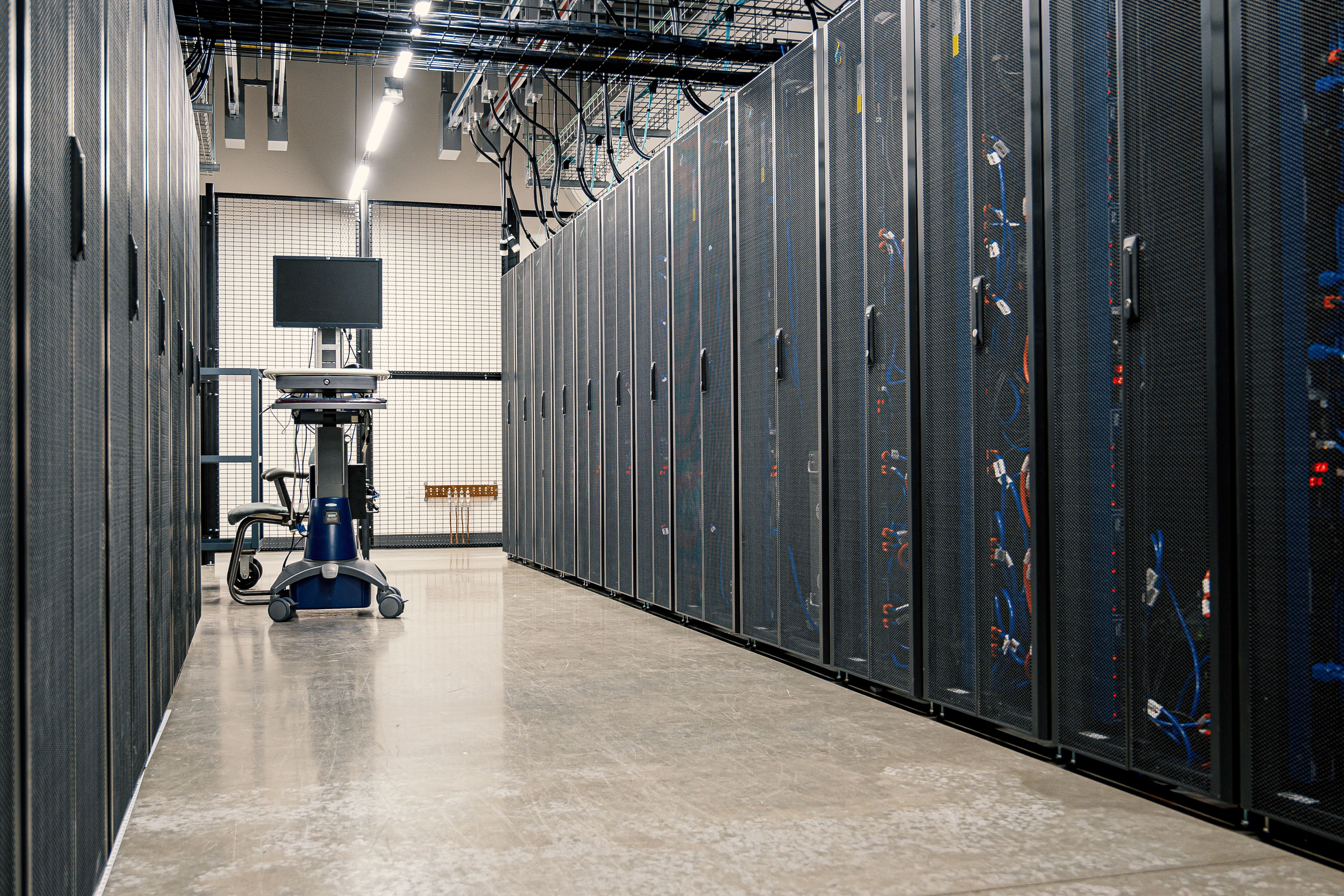 Somewhere behind every "runs on your Mac" claim, there's usually a data center like this one doing part of the work. Photo by Brett Sayles via Pexels.
What Gemini Spark actually costs and covers
Spark shipped to Mac as a beta feature inside the Gemini app, not as its own app or its own price tag. To get it, you need an active Google AI Ultra subscription — Google's top consumer AI tier — and even then, only if you're in the eligible age and location window.
Google restructured that tier at its I/O 2026 event: the original $250/month Ultra plan dropped to $200/month, and a new $100/month entry-level Ultra tier was introduced alongside it. Gemini Spark works on either Ultra tier — $100 or $200/month — so $100/month is the real floor for getting Spark at all, not a single fixed price.
- $100–$200/mo — the two Google AI Ultra tiers that include Spark; there's no cheaper or standalone way to get it.
- 18+, US — who can currently access the Mac beta: Ultra subscribers 18 and older, US only, as of the July 1, 2026 rollout.
- 24/7 — how long Spark's dedicated Google Cloud VM stays provisioned per user, independent of whether your Mac is on.
To be fair to Spark's design: it doesn't hand a task a wide-open filesystem. You link specific folders through a "Spark" tab in the Gemini sidebar, and it can only touch what's inside those linked folders — permission is revocable at any time. That's a genuine, sensible safety boundary. It's the cost and the "local" framing around it that deserve a second look.
What "runs locally" turns out to mean
Coverage of the Mac launch (TechCrunch, MacRumors, Engadget, Neowin) leaned on the phrase "local file automation." That's true in one narrow sense — you point Spark at folders on your Mac — but it undersells what actually happens to those files once a task runs.
From Google's own documentation: Spark persists on dedicated Google Cloud virtual machines that run whether a laptop is open or not. Each task executes inside a fresh, isolated ephemeral VM, destroyed once the task completes — but everything Spark does with your local Mac files is ultimately processed in that cloud environment, not exclusively on the device. Traffic routes through a Google "Agent Gateway" enforcing data-loss-prevention rules on the way.
None of that makes Spark unsafe — the ephemeral-VM-per-task pattern and the DLP gateway are reasonable engineering choices. But it does mean the honest description isn't "an agent that runs on your Mac." It's "an agent that runs on a Google server, using files it can read from your Mac because you granted it a live connection to specific folders." That's a fundamentally different trust model from a tool with no standing server at all — you're granting continuous access to something that persists between sessions, not permission that ends when you close the window.
 A dedicated cloud VM that stays provisioned "whether a laptop is open or not" is a different commitment than a task that only runs when you ask it to.
Where bots.team actually differs — and where it doesn't
It would be easy to overcorrect here and claim bots.team keeps everything "on your device, full stop." That's not accurate either, and we'd rather be precise than punchy: when a bots.team bot reasons about a task, it calls Anthropic's Claude API to do the thinking — cloud inference, same as Spark calls Google's models. Neither tool is running a large language model on your laptop's chip.
The actual difference is in what sits between runs. A bots.team bot's schedule, history, and state live in a local SQLite database on your machine — there's no bots.team-operated server holding a standing, always-on virtual machine mirroring your files and waiting for the next task. A bot wakes up on its schedule, does the work, calls the model it needs to reason, and goes back to being nothing running at all. There's no 24/7 provisioned VM per user sitting on our infrastructure the way Spark's documentation describes for Google's.
| What you're comparing | Gemini Spark (Mac beta) | bots.team |
|---|---|---|
| Price to access it | $100 or $200/mo, bundled only inside Google AI Ultra — no standalone tier, AI included | $0/mo Free (unlimited bots and runs), $5/mo Basic, $19/mo Pro — app only, plus your own Claude subscription (from $20/mo) to actually run bots |
| Availability | US only, ages 18+, beta | Wherever the app installs — no age or country gate published |
| Standing infrastructure | Dedicated Google Cloud VM provisioned per user, running continuously | No standing VM per user; a bot runs on its schedule, then nothing is running |
| What it can be asked to do | Organize, edit, and act on files in folders you've explicitly linked | Any job you describe in plain English — file tasks, but also monitoring, research, and recurring checks |
| Where reasoning happens | Google's cloud (Gemini models) | Anthropic's cloud (Claude models) — same category of dependency, different vendor |
Why the price gap is the real headline here — once you compare the whole bill
Strip away the "local vs. cloud" framing for a second and there's still a real gap, but it's not quite "$100 vs. $19." Spark's $100+/month covers the AI itself — that's what a Google AI Ultra subscription buys. bots.team doesn't provide the AI: it's a wrapper around your own Claude account, so the $0–$19/month tiers pay for the app — scheduling, standing plans, local history — and you separately need a Claude subscription to actually get any reasoning done. Claude Pro starts at $20/month and includes Claude Code usage within its session and weekly limits, so a realistic all-in number is closer to $20–$39/month (Free or Pro tier plus Claude Pro), not $0–$19 alone. That's still meaningfully less than Google AI Ultra's $100 floor, and unlike Spark's Ultra bundle you're not paying for a pile of unrelated Gemini features to get there — but the honest comparison is total cost against total cost, not bots.team's tier price against Spark's all-inclusive one. Spark's beta status and narrow eligibility window (US only, 18+) are separate limits on top of that.
 The "local vs. cloud" debate matters less to most first-time founders than the number at the bottom of the bill.
Free: $0 — unlimited bots and runs. Basic: $5/mo flat. Pro: $19/mo, full feature set. All three are app pricing only — each tier also requires your own Claude subscription (Claude Pro from $20/mo) to do the actual reasoning work, billed separately by Anthropic.
What to actually ask before picking either one
- Is the price you're seeing the real price? Spark has no standalone SKU — $100 or $200/month is really the price of Google AI Ultra, and you're getting Spark as one feature within it.
- Does "local" mean your files, or the whole job? Linking a folder so a tool can read files on your Mac is different from the reasoning, scheduling, and task execution happening on your Mac. Ask where each of those three actually runs.
- Is there a standing server tied to your account, running whether you're using it or not? That's the detail that determines how much of your data exists somewhere outside your control at any given moment — not the country-of-origin of the branding.
- Can you try it without committing to a subscription tier first? A free tier with a real feature set tells you more about a product's confidence than a beta gated behind its most expensive plan.
FAQ
Is Gemini Spark available outside the United States? Not yet as of this writing (July 2026). The macOS beta launched July 1, 2026 restricted to Google AI Ultra subscribers age 18+ in the US.
Can you buy Gemini Spark without Google AI Ultra? No. There's no standalone price — Spark is a feature unlocked only for Google AI Ultra subscribers, which now costs $100 or $200/month depending on tier, and includes Google's other premium AI features alongside it.
Does Gemini Spark run entirely on your Mac? No. It reads and edits files in folders you explicitly link, but the actual task execution happens inside a Google Cloud virtual machine — Google's own documentation states files are processed in that cloud environment rather than exclusively on the device.
Does bots.team keep everything off the cloud? No, and we'd rather say that plainly than let the comparison overstate it. Bots reason using Anthropic's Claude API, which is cloud inference — the same category Spark uses with Google's models. What bots.team doesn't have is a standing, always-on cloud VM per user sitting on our infrastructure between runs; scheduling and history are stored locally, and a bot only runs when its schedule or a trigger calls for it. There's also no per-action approval pausing scheduled runs — that's a deliberate design choice, not a gap: a bot that stops to ask mid-run isn't really unattended anymore.
What does bots.team cost compared to Gemini Spark? bots.team's app is $0–$19/month (Free, Basic, Pro), but that's the app fee only — bots.team doesn't provide the AI itself, so you also need your own Claude subscription to run bots, typically Claude Pro at $20/month. All-in, that's roughly $20–$39/month depending on tier. Gemini Spark's floor is $100/month via Google AI Ultra, but that price already includes the AI — there's no separate subscription to add on top.
Neither of those is the cheapest possible way to get an AI agent, but if $100+/month for a US-only, 18+, cloud-tethered beta feels steep for what it does, bots.team's free tier runs unlimited bots and schedules — including jobs tied to a specific folder on your own computer that keep running on their own, something neither Spark's folder-linking model nor a plain scheduled-task feature elsewhere is built to hand off completely.